Set Department
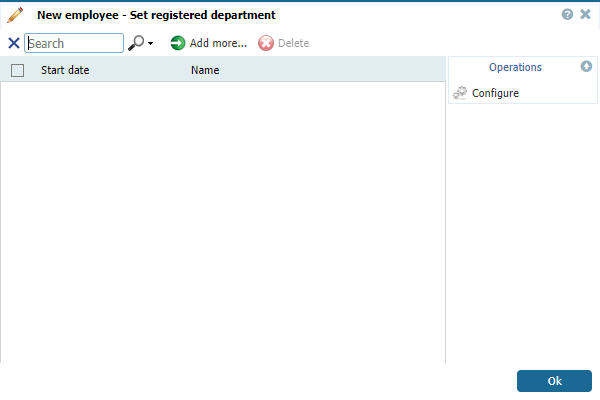
To set/change a department definition of an employee, go to Configuration - Employees - Tab System [New/Edit] and click the button  correspondent to field Department. A new window opens:
correspondent to field Department. A new window opens:
 |
|
Setting a department from Tab System - New/Edit Employee Window in Astrow Web
|
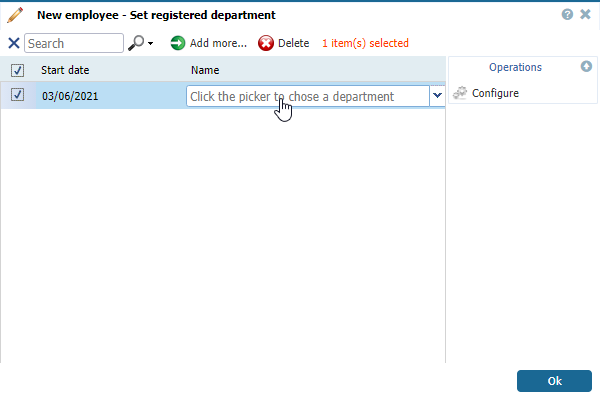
Click the button  to set a department.
to set a department.
 |
|
Adding a department from Tab System - New/Edit Employee Window in Astrow Web
|
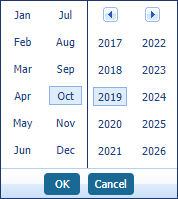
Use the calendar (double-click on the Start date field) to set the start date of the cycle. You can search through the previous month  or the next month
  . The button
  can help you easily select a date desired, if not the current year or month.
or the next month . The button can help you easily select a date desired, if not the current year or month.
  |
|
Navigation calendar option in Astrow Web
|
Next click the selector to choose a department from the ones defined. If not defined yet, you can choose one by selecting the button  .
.
.
 |
A new window opens containing a list of departments defined in Astrow. Select a department and click Select.
The new department is added. Click Ok to link the department to the employee.
To delete a department history record, go to an individual employee definition in Configuration - Employees - Tab System [Edit], click the button correspondent to field Department, select the records and click  .
.
correspondent to field Department, select the records and click .
 |
Please note that you won't delete a department definition but a department history record from an employee definition. You are not advised to delete departments in use!
|
You can also use the search field  to search a department by name.
to search a department by name.